OneListing — UI/UX Design for a WordPress Directory Website
About the Project
OneListing is a premium WordPress theme built on the Directorist plugin, designed to help businesses launch directory and listing websites for restaurants, real estate, cars, hotels, and more.
I designed the complete experience from scratch, covering both sides of a directory: the visitor-facing website (home, listings, map view, single listing, pricing) and the listing owner’s workspace (multi-step add listing flow and frontend dashboard).
The final design focuses on fast discovery for visitors, a simple submission and management flow for owners, and a flexible system that adapts to any directory niche.
Problems
Directory websites often struggle to serve two very different audiences at once: people searching for places, and owners who want to list and manage them.
- Search and filtering felt overwhelming on listing-heavy pages
- Listing cards and single pages didn’t build enough trust for visitors to take action
- Adding a listing was long and confusing, which led owners to drop off
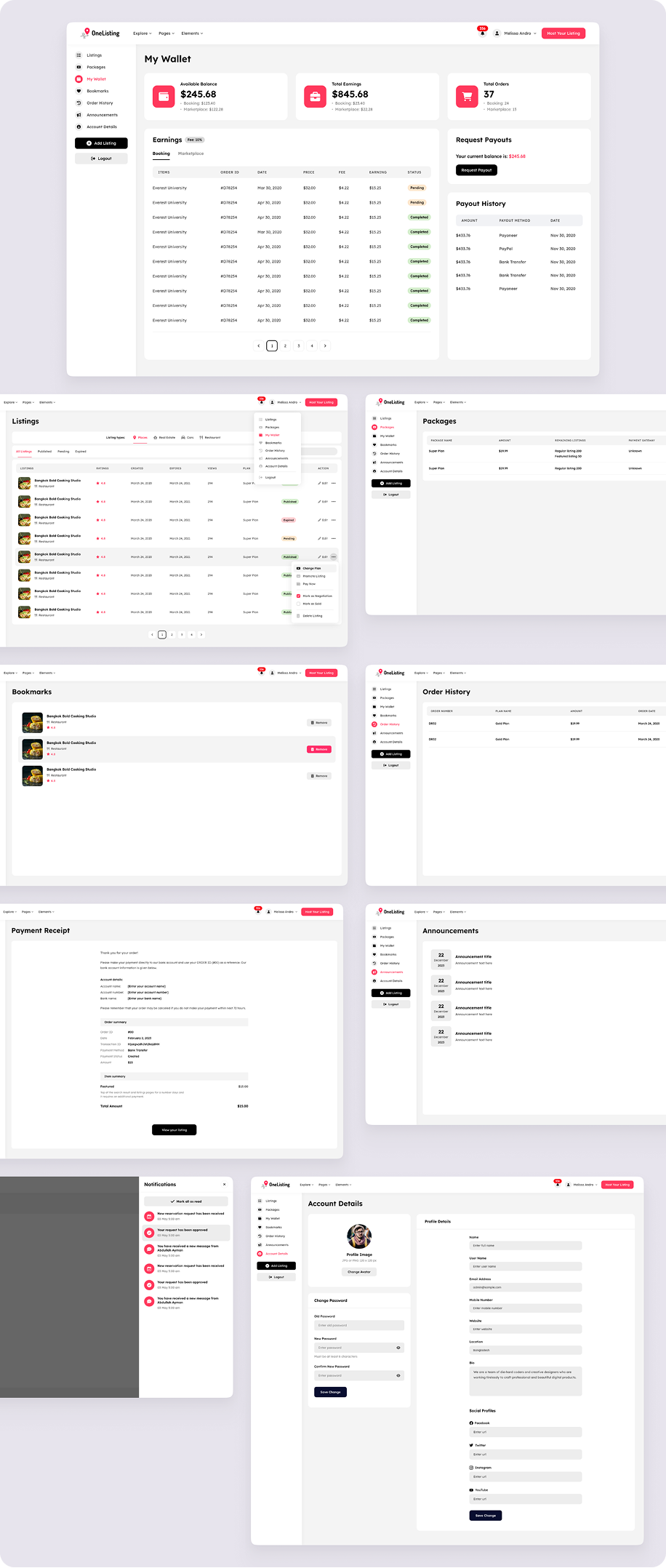
- Owners had no single place to manage listings, packages, earnings, and orders
- Most directory themes looked generic and couldn’t adapt to different niches
Challenges
Designing a theme meant creating one system flexible enough for many directory types, without losing clarity or personality.
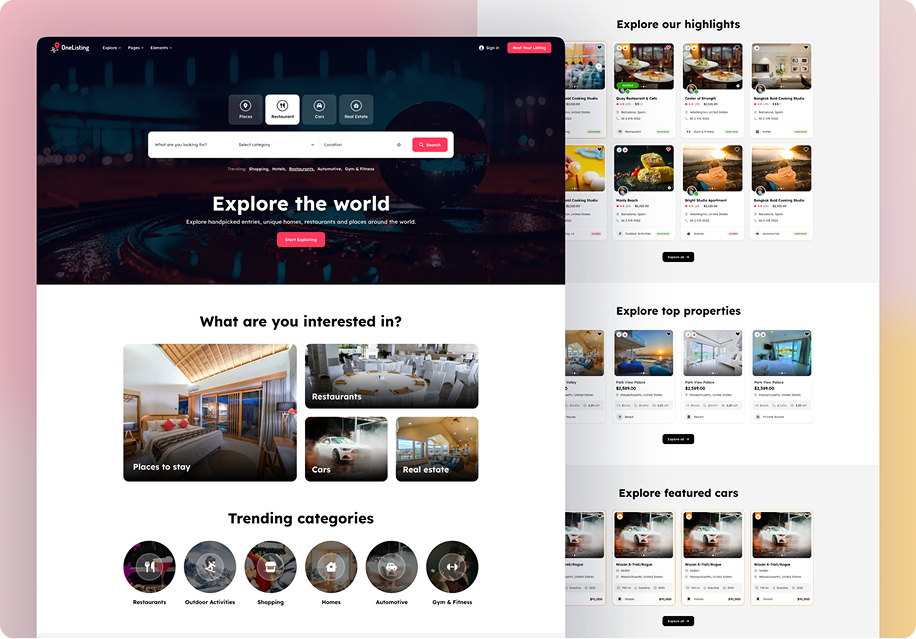
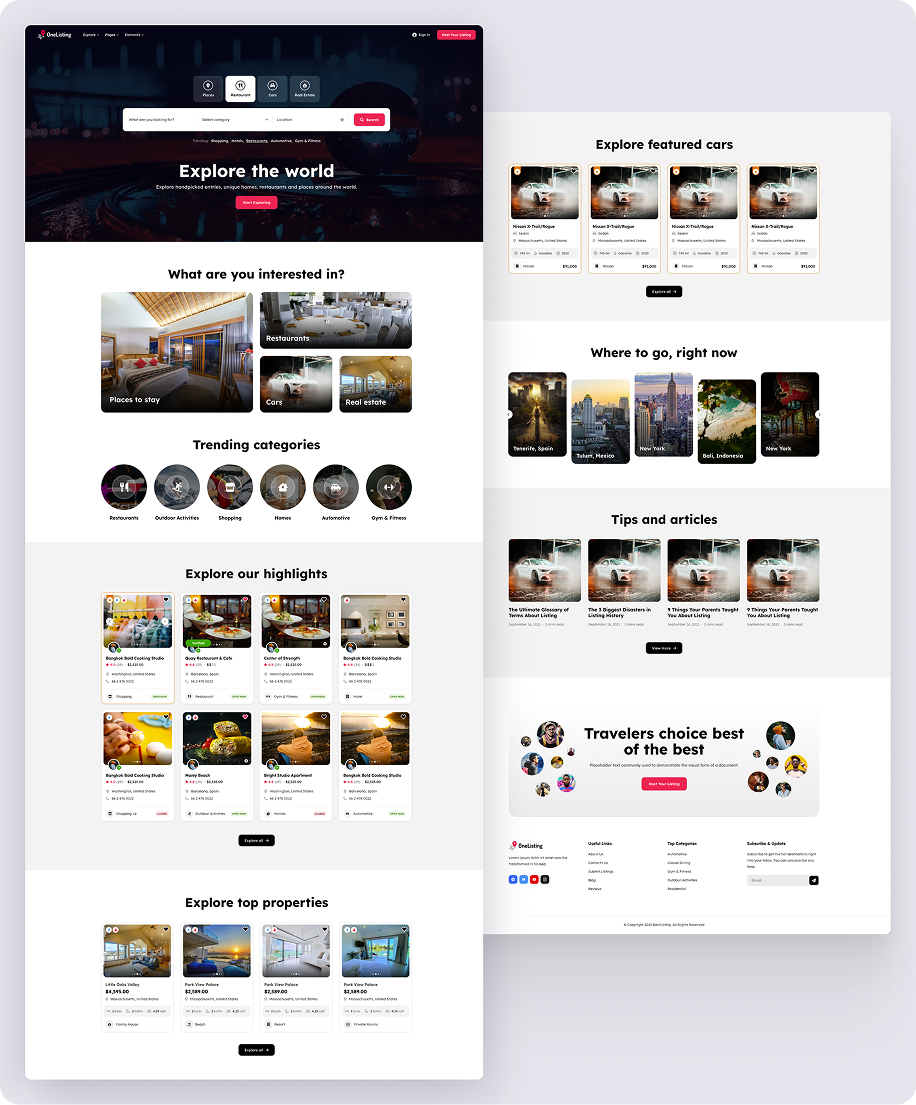
- Designing a home page that works equally well for restaurants, cars, real estate, and travel
- Balancing advanced search filters with a clean, scannable listings layout
- Combining grid and map views without overwhelming users
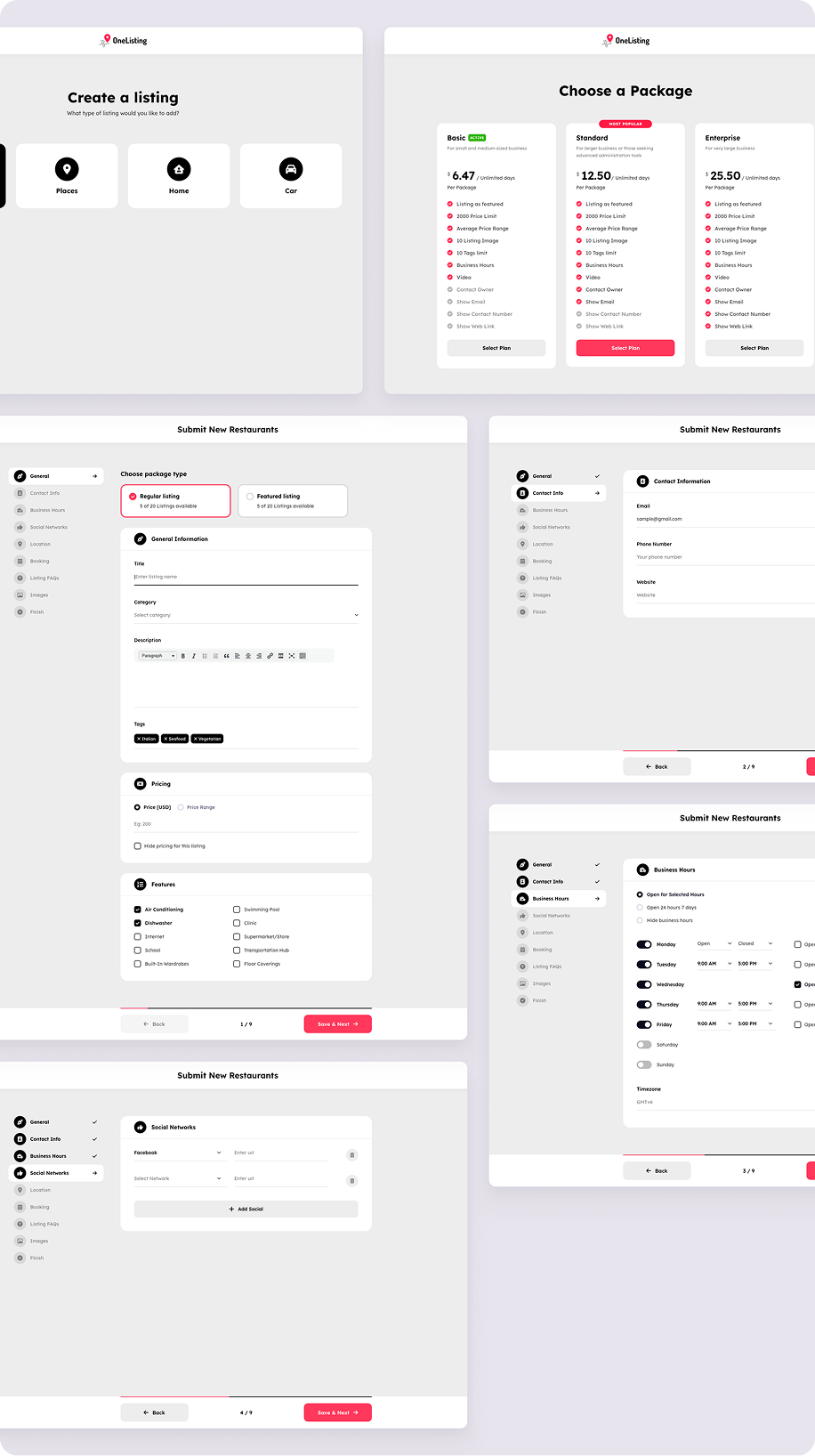
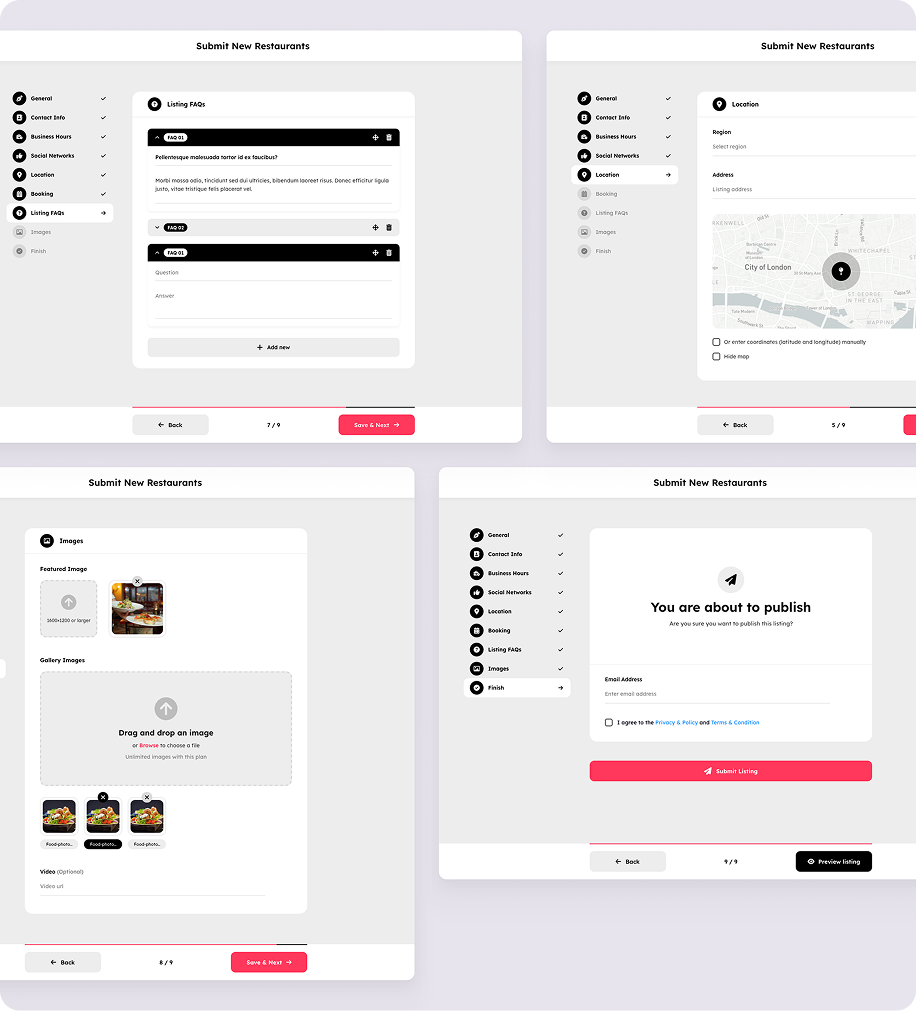
- Breaking a long listing submission form into a clear, low-effort flow
- Presenting packages, earnings, bookings, and payouts clearly inside the owner dashboard
Solutions
To solve these problems, we designed a flexible, discovery-first system that serves visitors and listing owners equally well.
- Category-led home page with a tabbed search bar, trending categories, featured listings, and curated content, so visitors start exploring right away
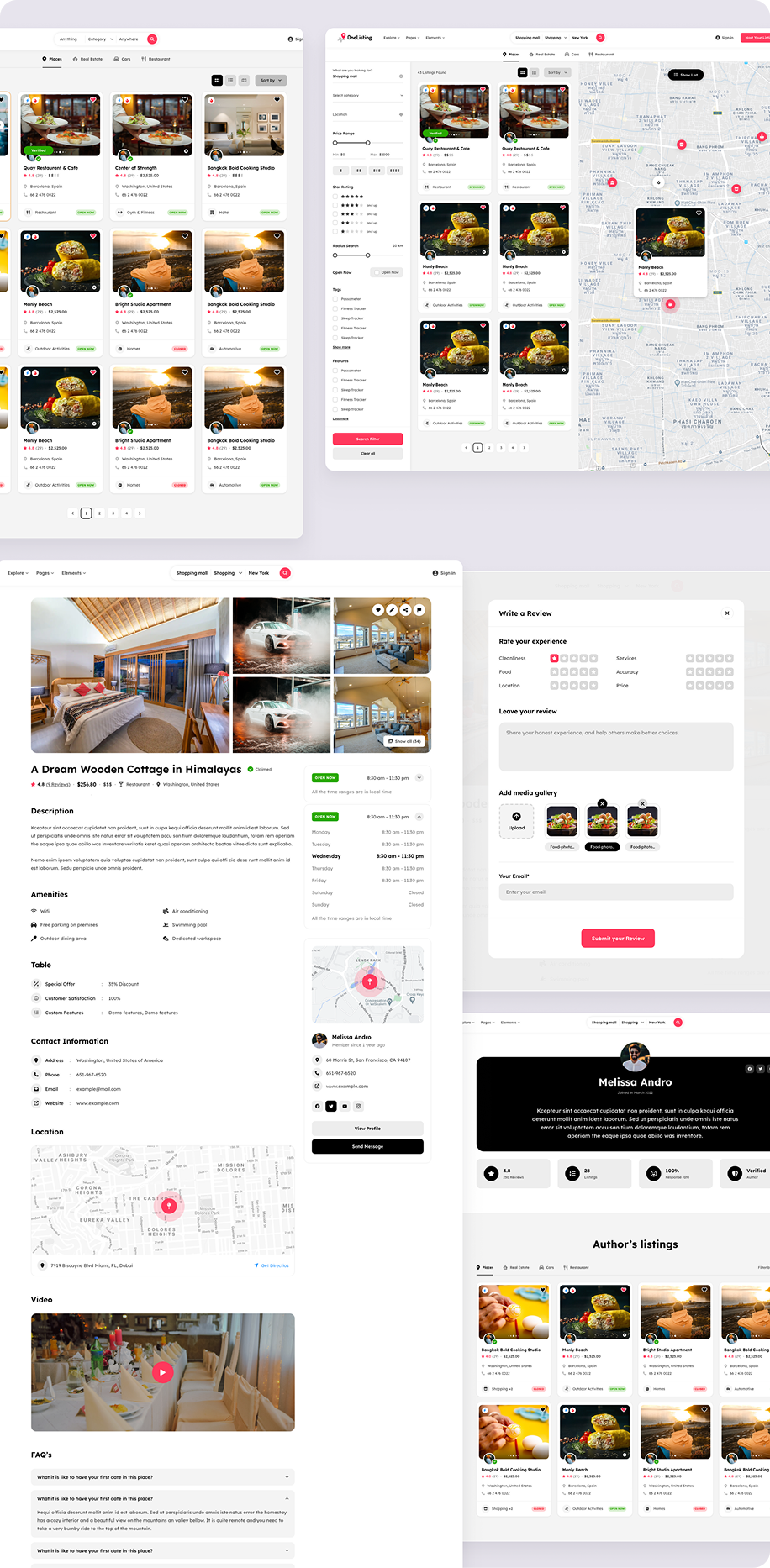
- Listings with grid and map views with a filter sidebar for price, rating, radius, tags, and features
- Trust-focused single listing page with a photo gallery, business hours, amenities, reviews, FAQs, and a clear owner contact section
- Pricing and package selection that clearly compares plans before an owner submits a listing
- 9-step add listing flow with a progress sidebar and Save & Next controls, which turns a long form into small, manageable steps
- Owner dashboard covering listings, packages, wallet and payouts, bookmarks, order history, announcements, and notifications
The Final Result
Through research-led design and a flexible component system, OneListing is now a complete directory theme that works for both visitors and listing owners.
- Visitors can search, filter, compare, and book listings in a few clicks
- Owners can create a listing step by step and manage everything from one dashboard
- The theme adapts easily to restaurants, real estate, cars, hotels, and other directory niches
- The design supports monetization through paid listings, featured listings, and subscription packages
Overall, OneListing shows how thoughtful UI/UX design can turn a complex, multi-sided directory platform into a clear, flexible, and conversion-friendly experience for everyone using it.
Home Page
Listings Pages
Add Listing Form
Listings Management Dashboard