Directorist — Complete UI/UX Design for a WordPress Directory Plugin
About the Project
Directorist is one of the most popular and highest-rated WordPress plugins in the Directory & Listing category, trusted by over 20,000 active businesses worldwide. It lets anyone build and monetize a business directory, classifieds site, job board, real estate portal, or niche listing platform, all without writing a single line of code.
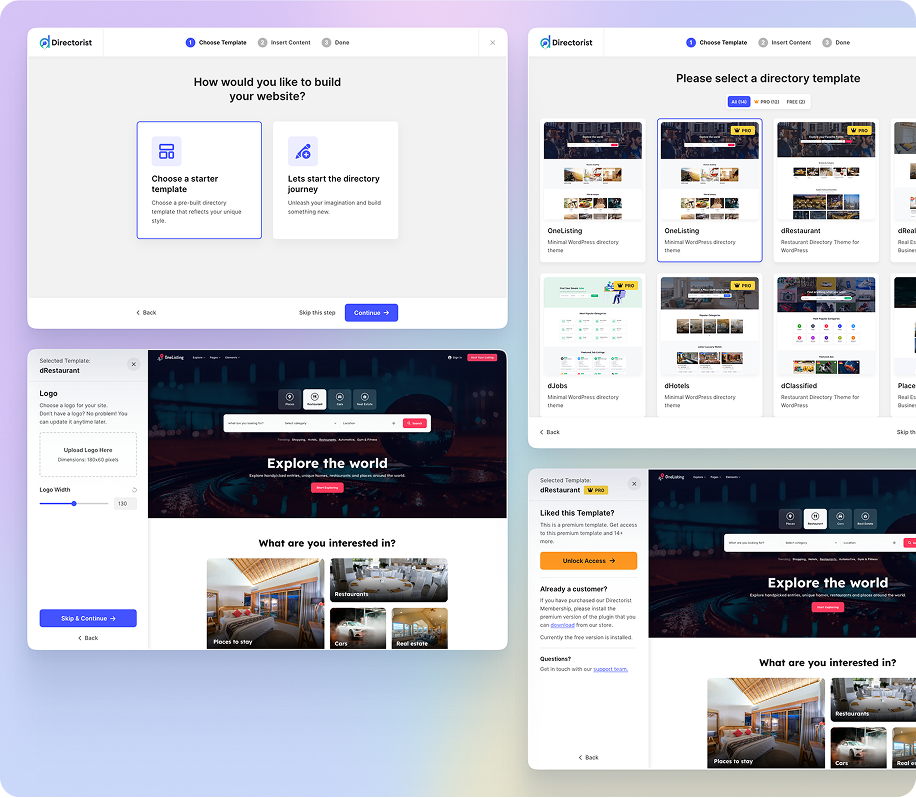
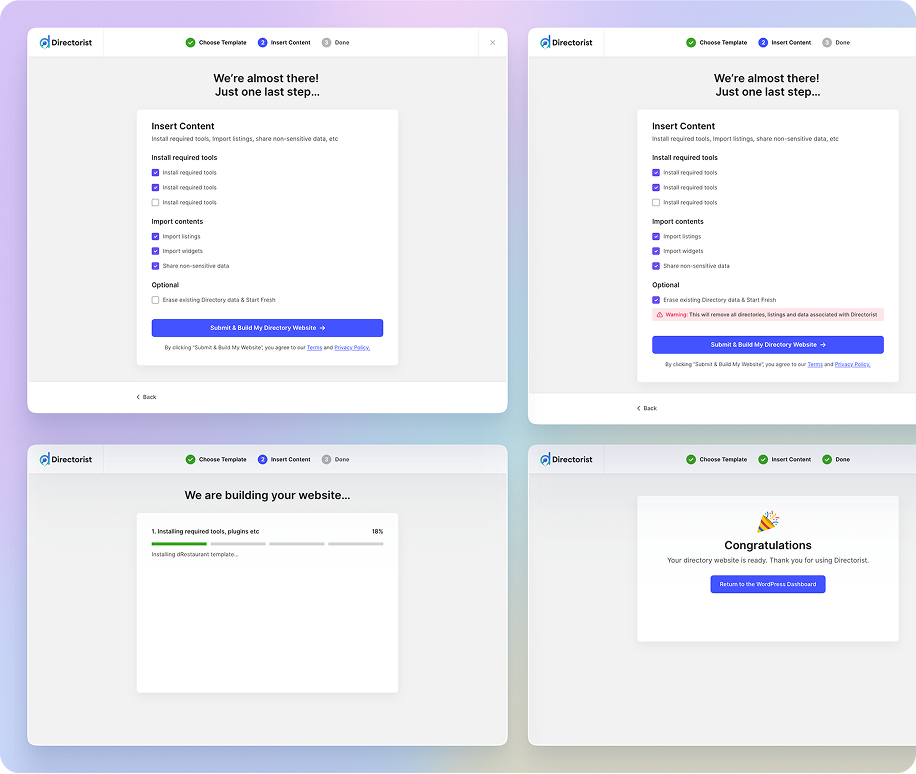
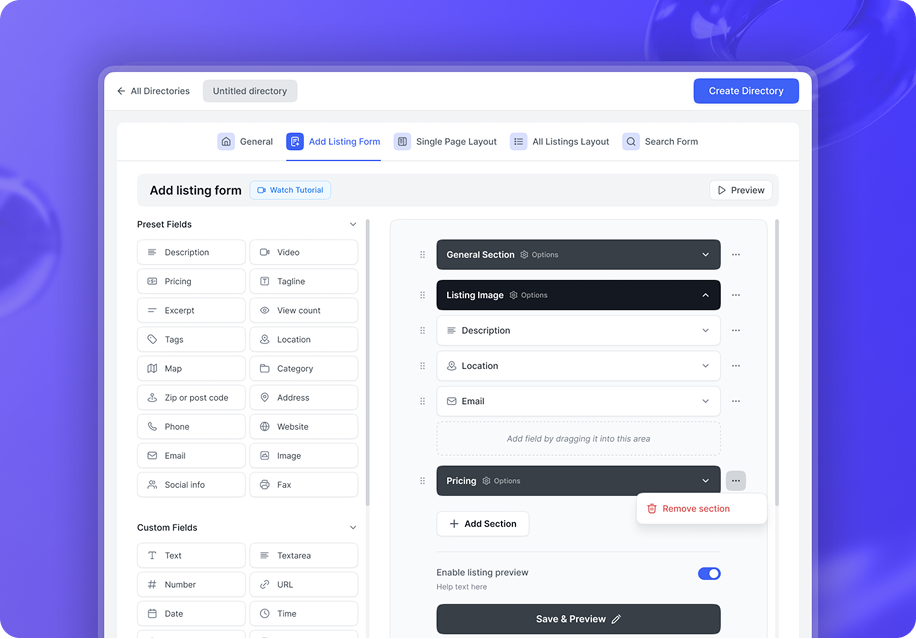
I designed the entire product, end-to-end. This included the plugin's frontend user experience (listing submission, search, filters, single listing pages, and the user dashboard), the WordPress admin panel (directory builder, settings panel, listing management, orders, and configuration screens), the plugin licensing and activation flow, the setup wizard that walks new users through their first directory, the Directory (Theme) Builder used to visually construct listing pages and search forms, and the complete UI for 13+ directory themes and 38+ premium extensions. Every screen, flow, and component across the entire Directorist ecosystem.
Problems
Directorist had grown from a simple directory plugin into a large, feature-rich platform and that growth had outpaced its original design foundation. As new extensions, themes, and features were added over the years, the product needed a design system that could scale without becoming inconsistent or overwhelming for users.
The key problems I identified:
- With 30+ extensions and multiple themes, the product lacked a unified design language, making the experience feel fragmented across different parts of the plugin.
- The admin panel needed to handle a huge range of settings and configuration options without overwhelming non-technical WordPress users.
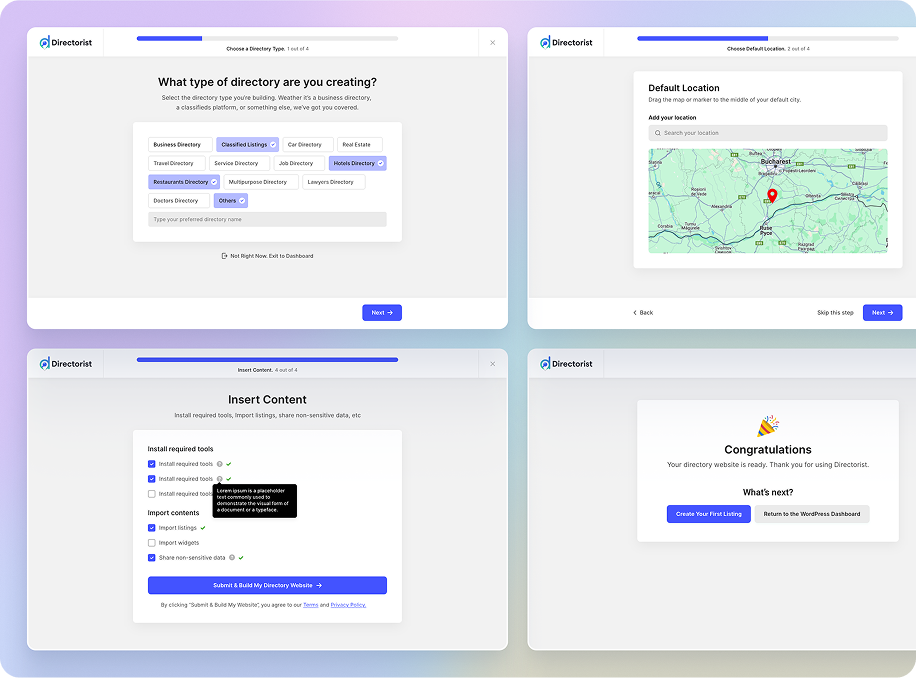
- New users often struggled to go from "plugin installed" to "directory live," with no guided setup experience.
- Building a directory page visually (choosing widgets, layouts, and search fields) required a flexible builder interface that didn't yet exist in an intuitive form.
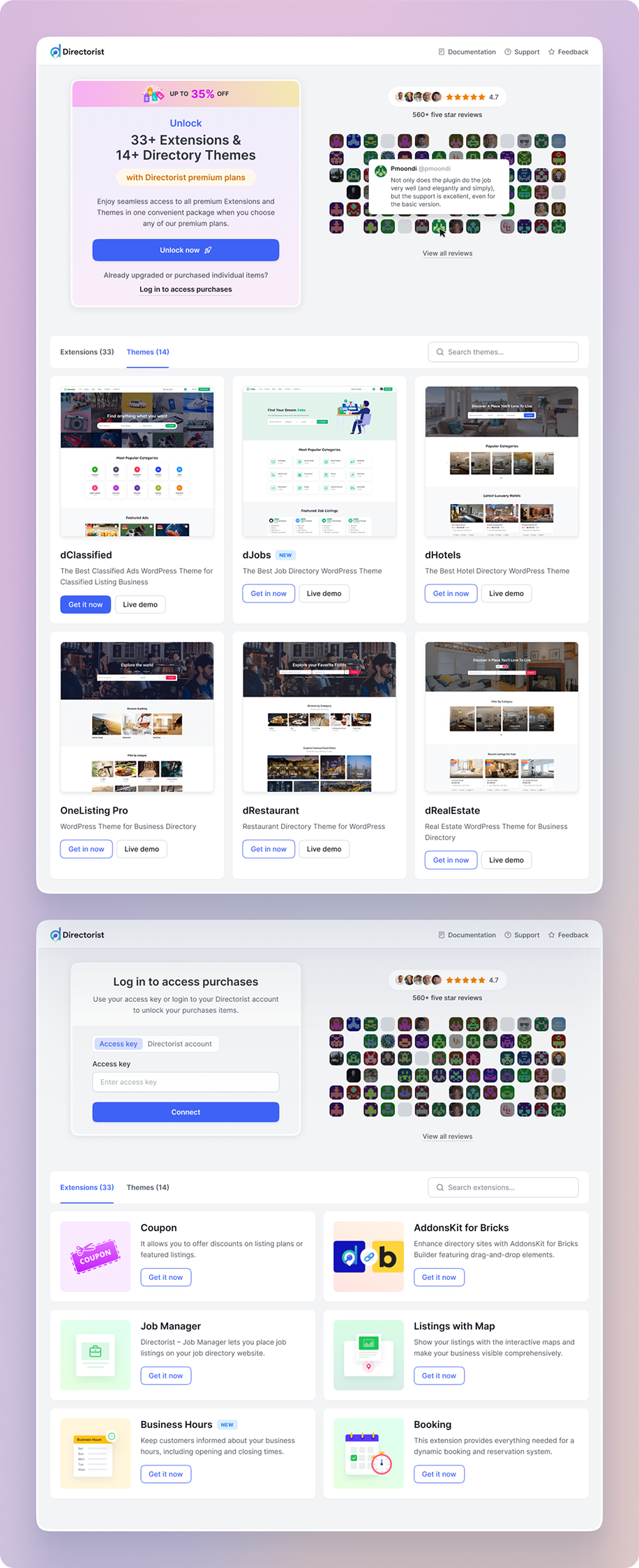
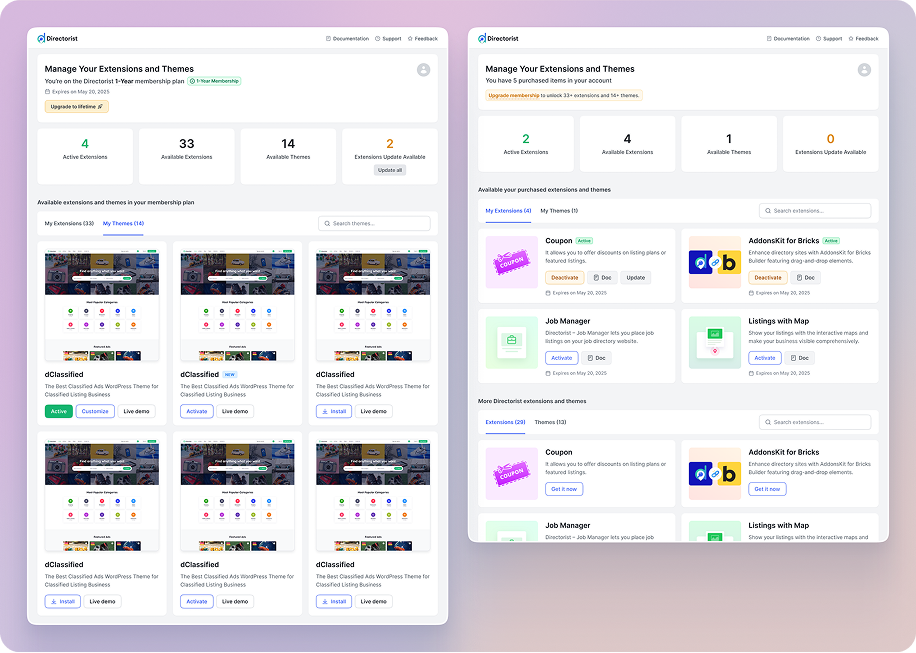
- Licensing, activation, and update flows needed to feel simple and trustworthy, since this is often a user's first interaction with the paid product.
- Each of the 13+ directory themes needed a distinct visual identity while still feeling like part of the same trusted Directorist product family.
Challenges
Across research, design, and the overall product journey, I faced several key challenges:
- Understanding the needs of two very different WordPress user types: non-technical site owners who just want a working directory, and developers/agencies who need deep customization.
- Studying 30+ existing extensions and themes to identify shared patterns and opportunities for a consistent design system.
- Analyzing competitor directory plugins to identify where Directorist could differentiate through simplicity and usability.
- Creating a scalable design system that could support dozens of extensions and themes without fragmenting the user experience.
- Designing a drag-and-drop Directory Builder that felt powerful for advanced users, yet approachable for complete beginners.
- Structuring a dense WordPress admin panel settings, listings, orders, pricing plans, users into a clear, navigable interface.
- Designing 13+ distinct directory themes (job boards, real estate, restaurants, classifieds, and more) that each feel purpose-built for their niche.
- Balancing flexibility (unlimited custom fields, layouts, and directory types) with a UI that doesn't overwhelm first-time users.
Solutions
To address these challenges, we designed a complete, scalable UI/UX system across every part of the Directorist product:
- Built a unified design system: Consistent components, spacing, typography, and interaction patterns applied across the plugin frontend, admin panel, builder, and all extensions, so the entire product feels like one cohesive experience.
- Designed an intuitive Setup Wizard: guiding new users step-by-step from plugin activation to a live, functioning directory, dramatically reducing time-to-launch.
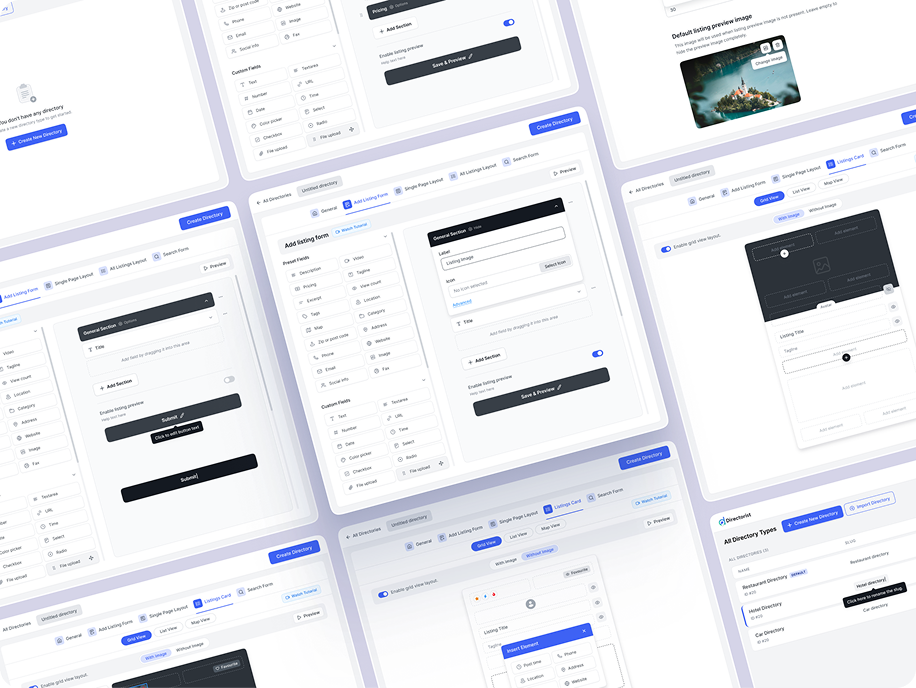
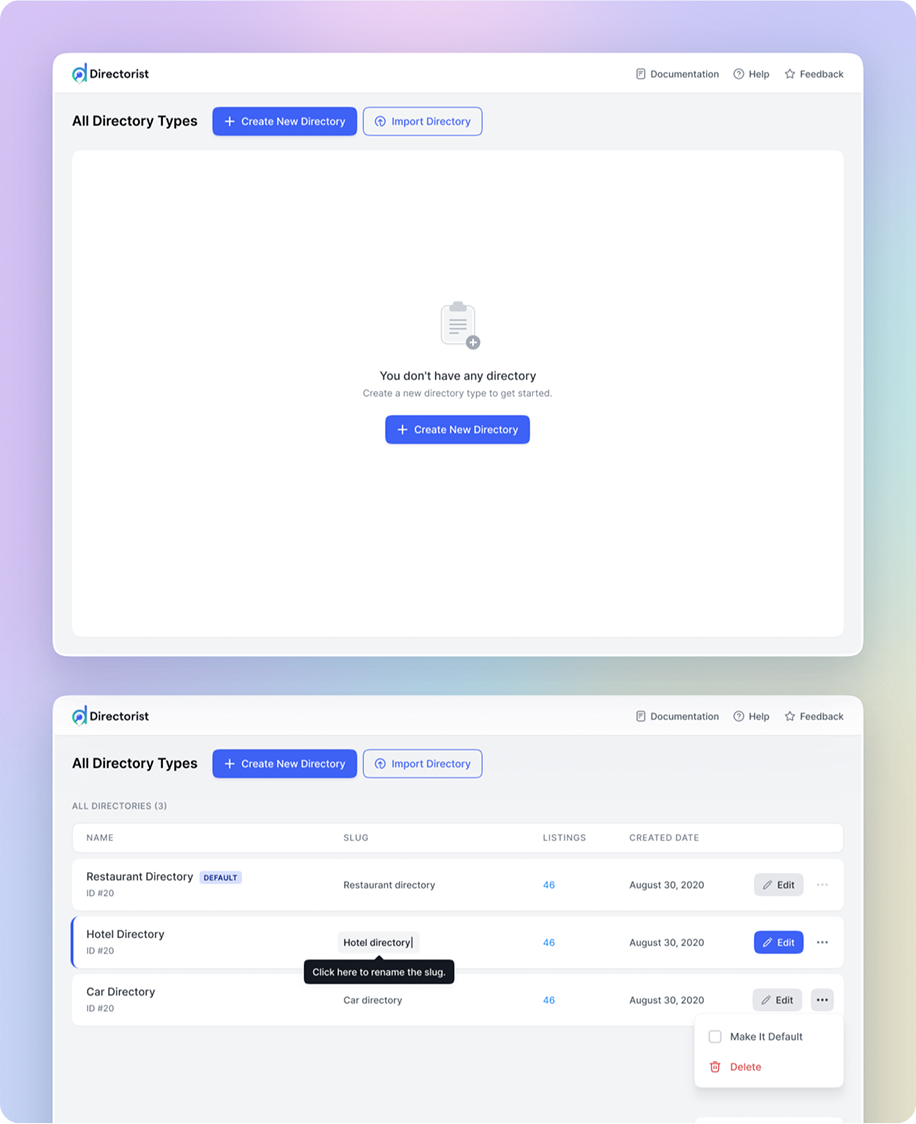
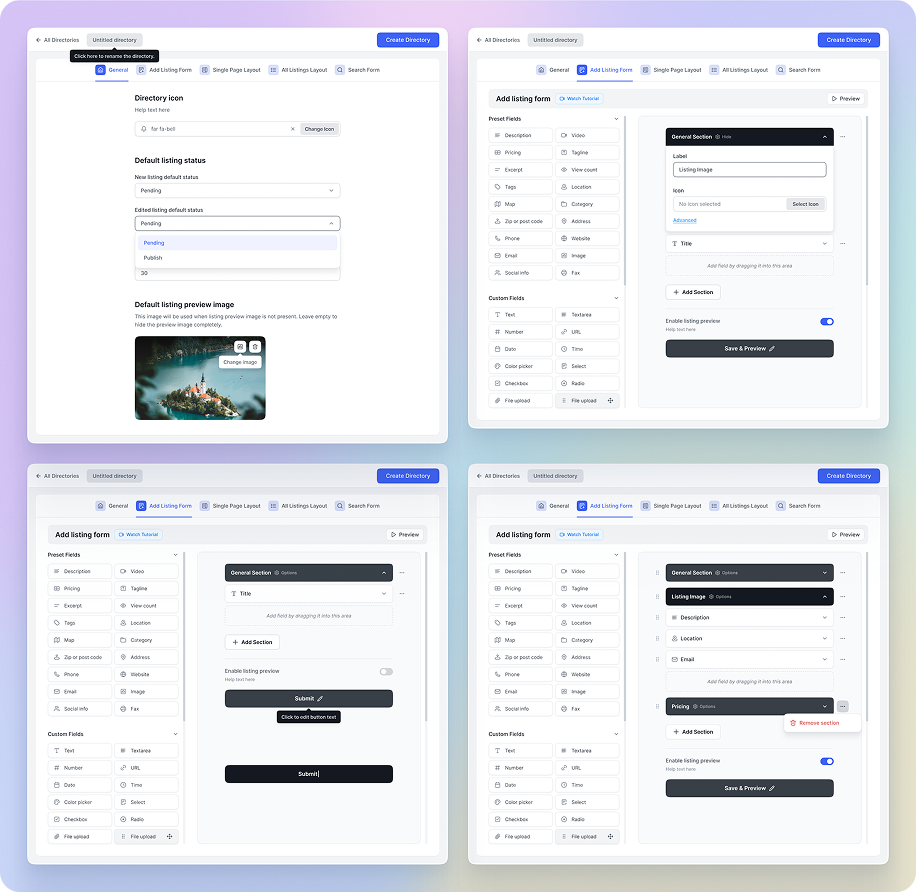
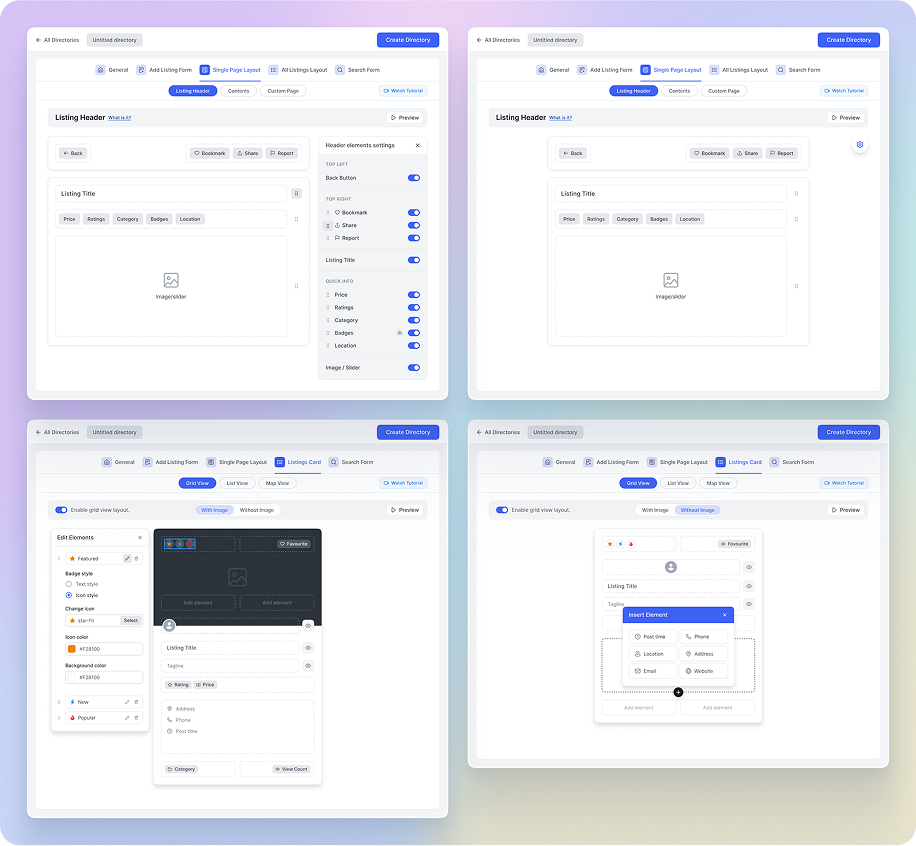
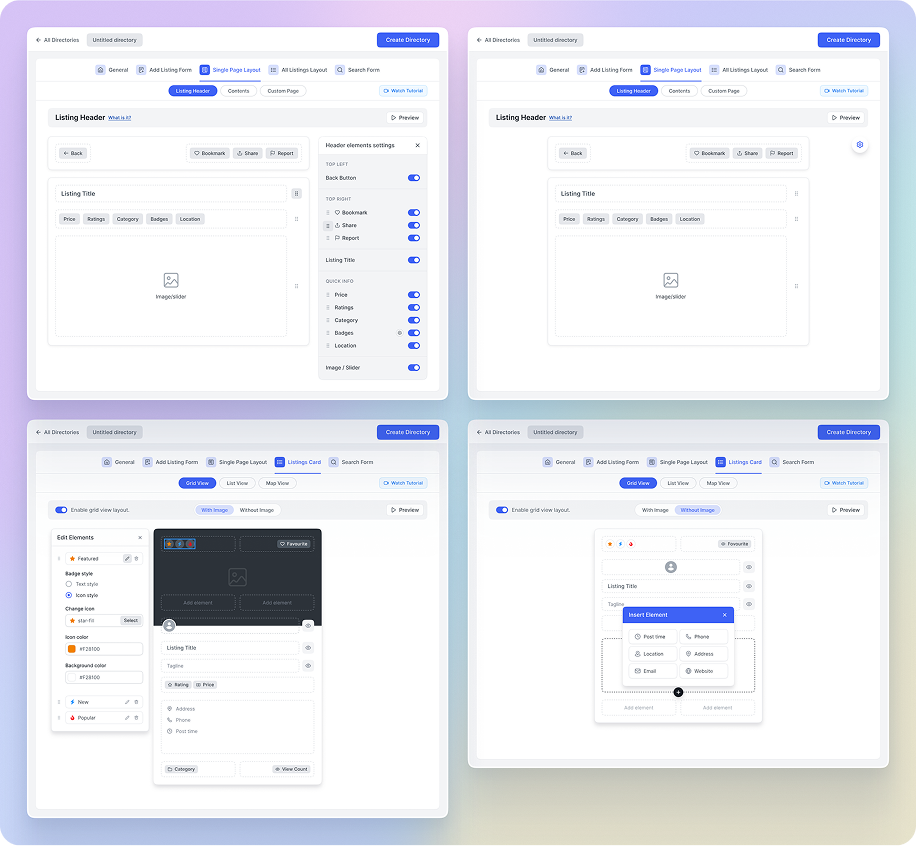
- Created the Directory Builder interface: A visual, drag-and-drop builder that lets users construct listing pages, search forms, and layouts without touching code, designed to feel powerful yet simple.
- Redesigned the WordPress admin panel: Organizing settings, listings, orders, and configuration options into clear, logically grouped sections with improved navigation and search.
- Designed a clean, trustworthy licensing and activation flow: Making plugin activation, updates, and account management simple and frustration-free.
- Delivered UI for 13+ directory themes: Each with its own distinct visual identity (jobs, hotels, restaurants, real estate, classifieds, and more) while maintaining shared design DNA across the Directorist product family.
- Designed UI for 38+ premium extensions: Including booking, pricing plans, claim listings, business hours, live chat, advanced search, and payment integrations, ensuring each extension feels like a natural part of the core product.
- Prioritized accessibility and usability for non-technical users: Since most Directorist customers manage their directory without any coding experience.
- Maintained close collaboration with development throughout the product lifecycle - ensuring designs were fully implementable within WordPress's technical ecosystem and adaptable across frequent product releases.
The Final Result
Through structured research, a scalable design system, and detailed UI work across every corner of the product, Directorist has become one of the most complete and highest-rated WordPress directory plugins on the market.
- The plugin now serves 20,000+ active businesses worldwide, with a strong 4.6-star average rating and hundreds of five-star reviews consistently praising its clean, intuitive interface.
- The redesigned Directory Builder have made it significantly easier for non-technical users to launch a fully functioning directory in a single day.
- With a unified design system now powering 13+ themes and 38+ extensions, Directorist can continue scaling its feature set without sacrificing consistency or usability.
Overall, this project reflects how thoughtful, systemized UI/UX design can transform a growing, feature-heavy product into a cohesive, scalable, and genuinely enjoyable experience and we're proud to have designed the Directorist ecosystem across every layer, from the setup wizard to the admin panel to the themes and extensions that power thousands of live directory websites today.
Directorist Builder
Directorist Setup Wizard
Directorist Product Management
Directorist Theme Setup Wizard